Deploy
How Deploying Works
Whenever you change anything in Balancy, it's saved on our servers and visible to other team members. You can compare all the changes you make in Balancy with commits in Git, the only difference being that other Balancy users can see your changes immediately.
When you are ready to publish your changes for the end users (like Push in Git), open the Deploy & Branches section in Balancy and click the Deploy button. The process takes a few seconds, and once it's completed you can launch your game and get all the updated data.
Bear in mind that you are deploying only to the active Branch. Learn more about branches in the Branches Guide.
Testing Before Deploy
You can test your changes before deploying to make sure everything works as expected:
- In the Balancy dashboard, make sure you are on a dev branch (each branch is tied to an environment — Development, Stage, or Production).
- In your game client, initialize the SDK with
Environment = Development— the SDK will automatically connect to the matching dev branch based on the environment and app version. - On a dev branch, your changes are available immediately after saving (no deploy needed), so you can iterate quickly.
- Use Console Mode in the dashboard to simulate different player conditions (time of day, segments, etc.) and verify that your events and offers activate correctly.

Once you're satisfied with the results, deploy to make the changes available, then merge into your production branch when ready.
Reverting Changes
Currently, undeployed changes can be reverted (undo) only altoghether untill the point of the latest deploy.
Attention!
Reverting operation is not reversible. You cannot revert what is already reverted.
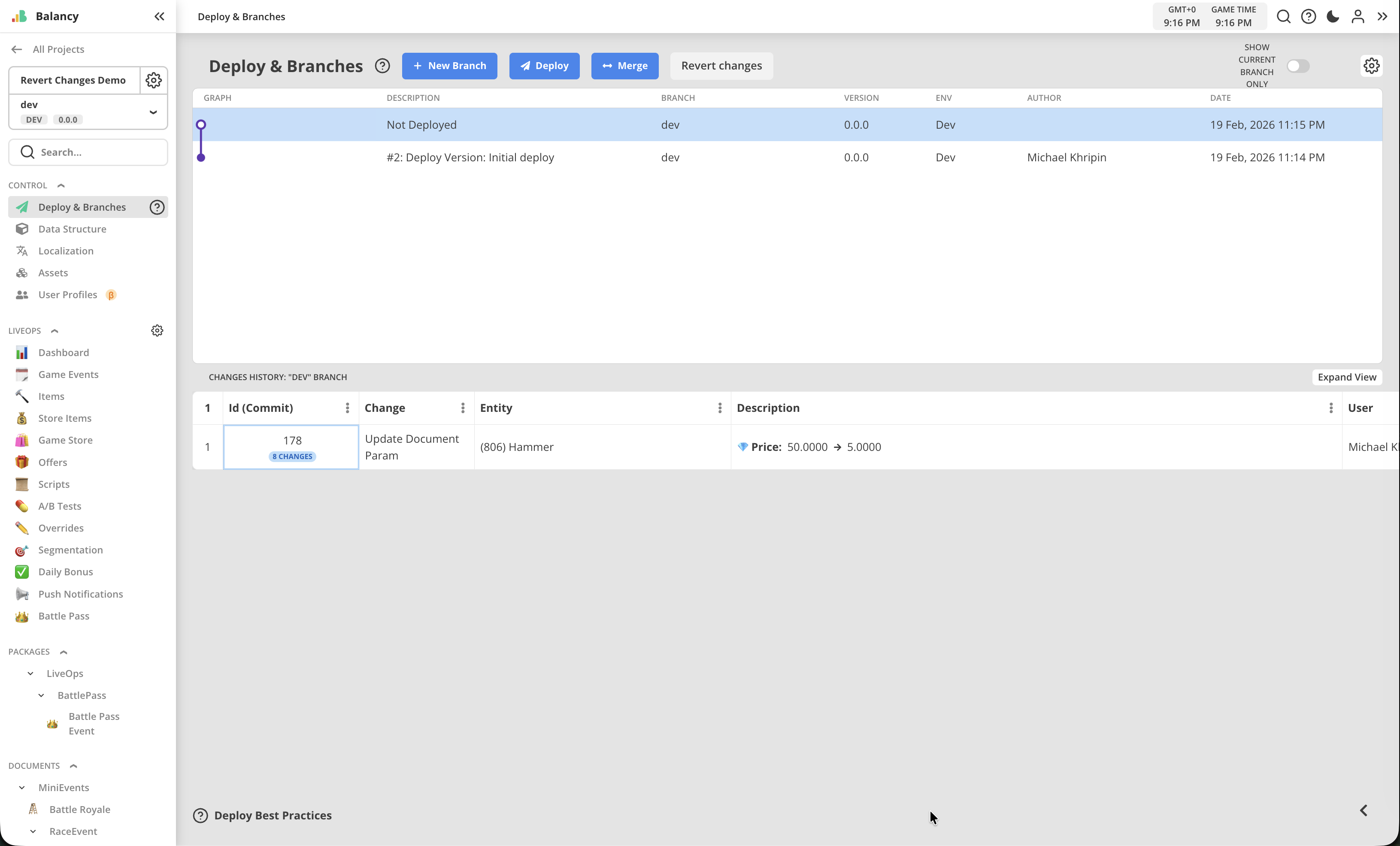
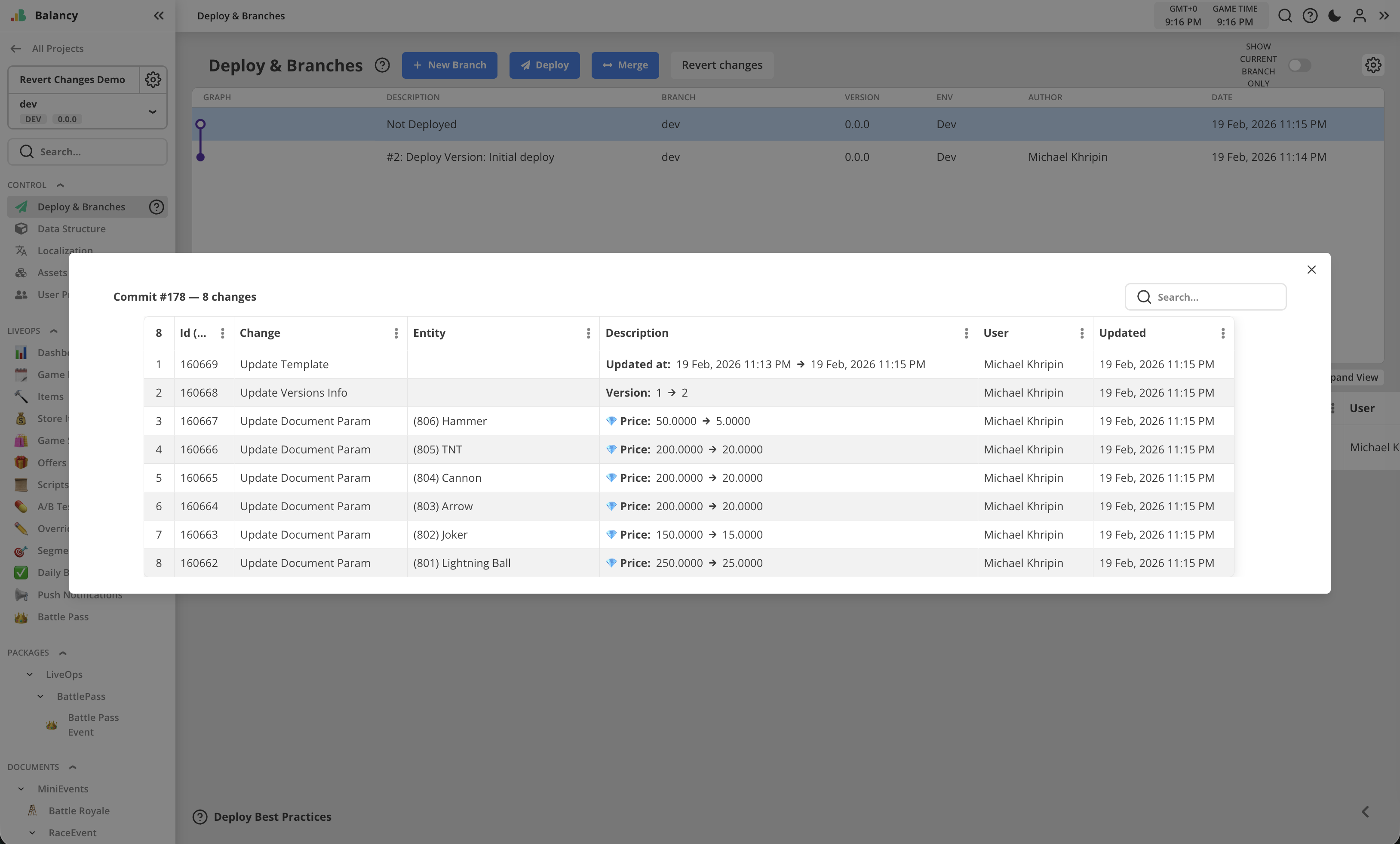
Changes history shows changes grouped into commits. One commit includes all changes made manually before Save button was pressed on the page, plus system changes for versions and timestamps.
Commit group can be opened as a popup to check the list of all changes.
Deploy Workflow
- Make your changes in the CMS (create events, offers, update configs, etc.)
- Test on your dev branch
- Open Deploy & Branches
- Review the pending changes, revert if mistakes were made
- Click Deploy
- Your game clients will receive the updated data on the next sync cycle (usually within minutes)